STUDIO MODES
Studio Modes let people inhabit the same studio in different ways, depending on what the moment needs. A course cohort, an alumni network, a small collective — the studio stays the same, but the intent shifts: process, feedback, or presentation. It’s a simple switch that changes what you’re asking from the space, and what the space communicates back.
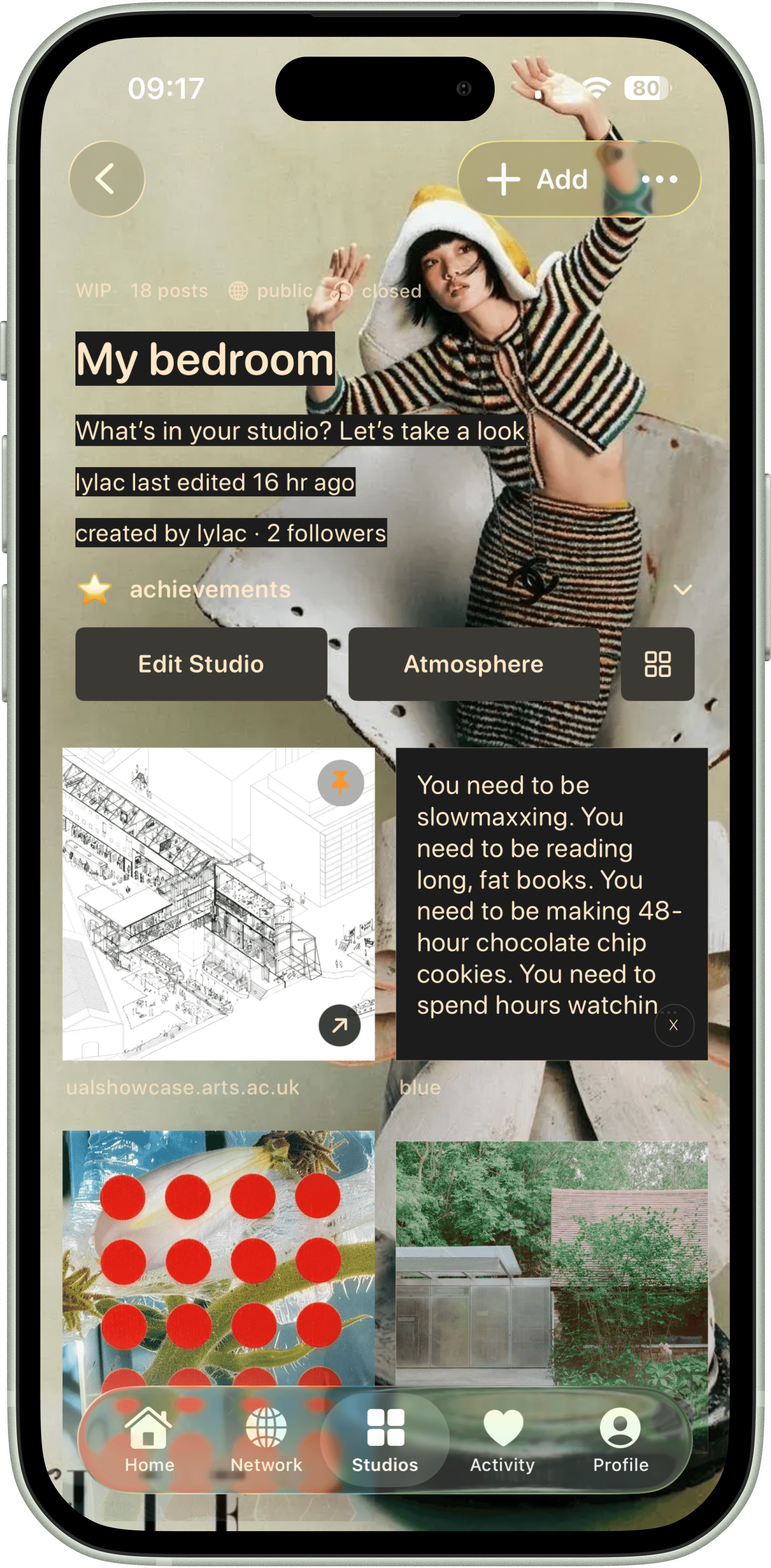
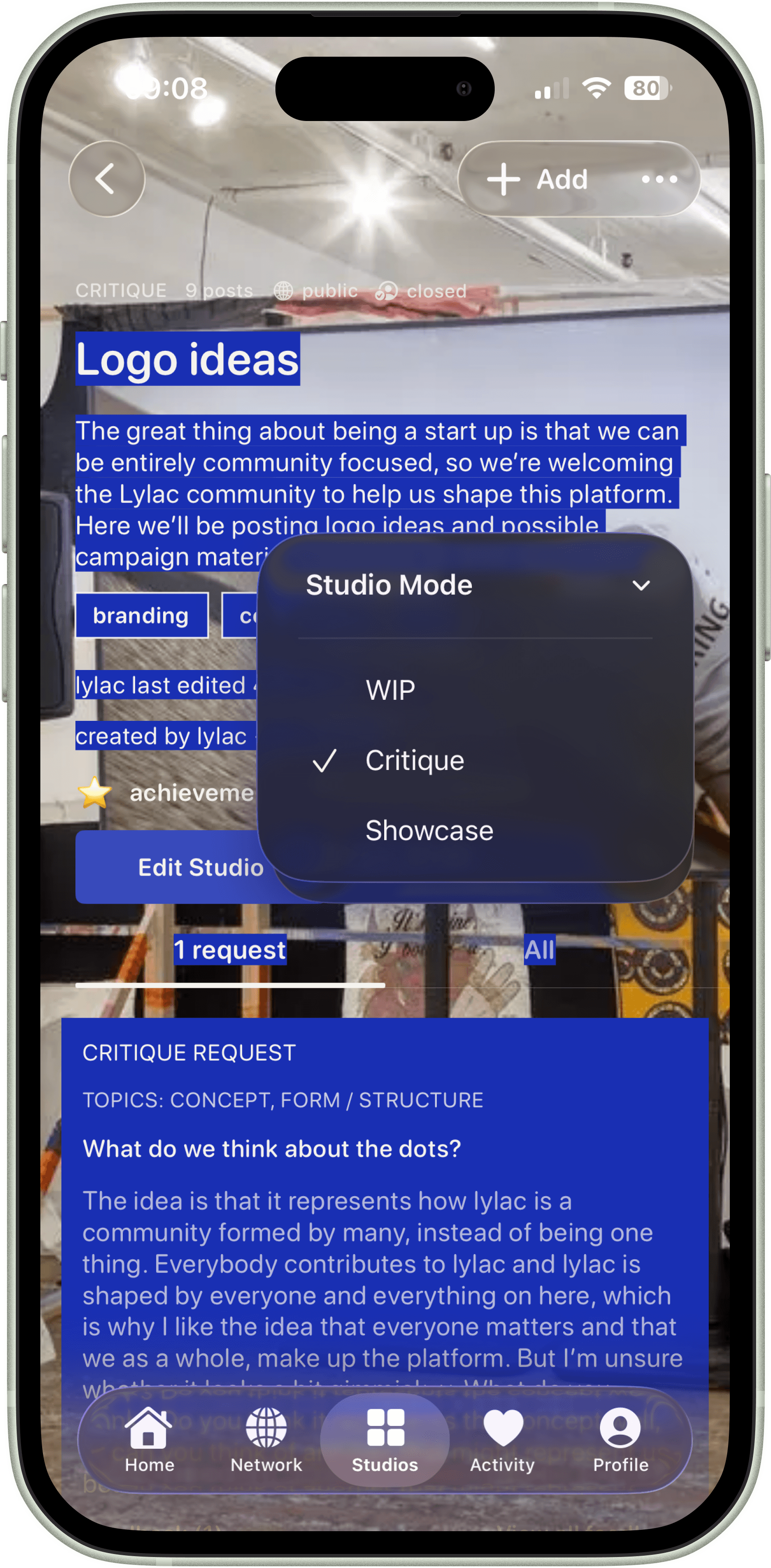
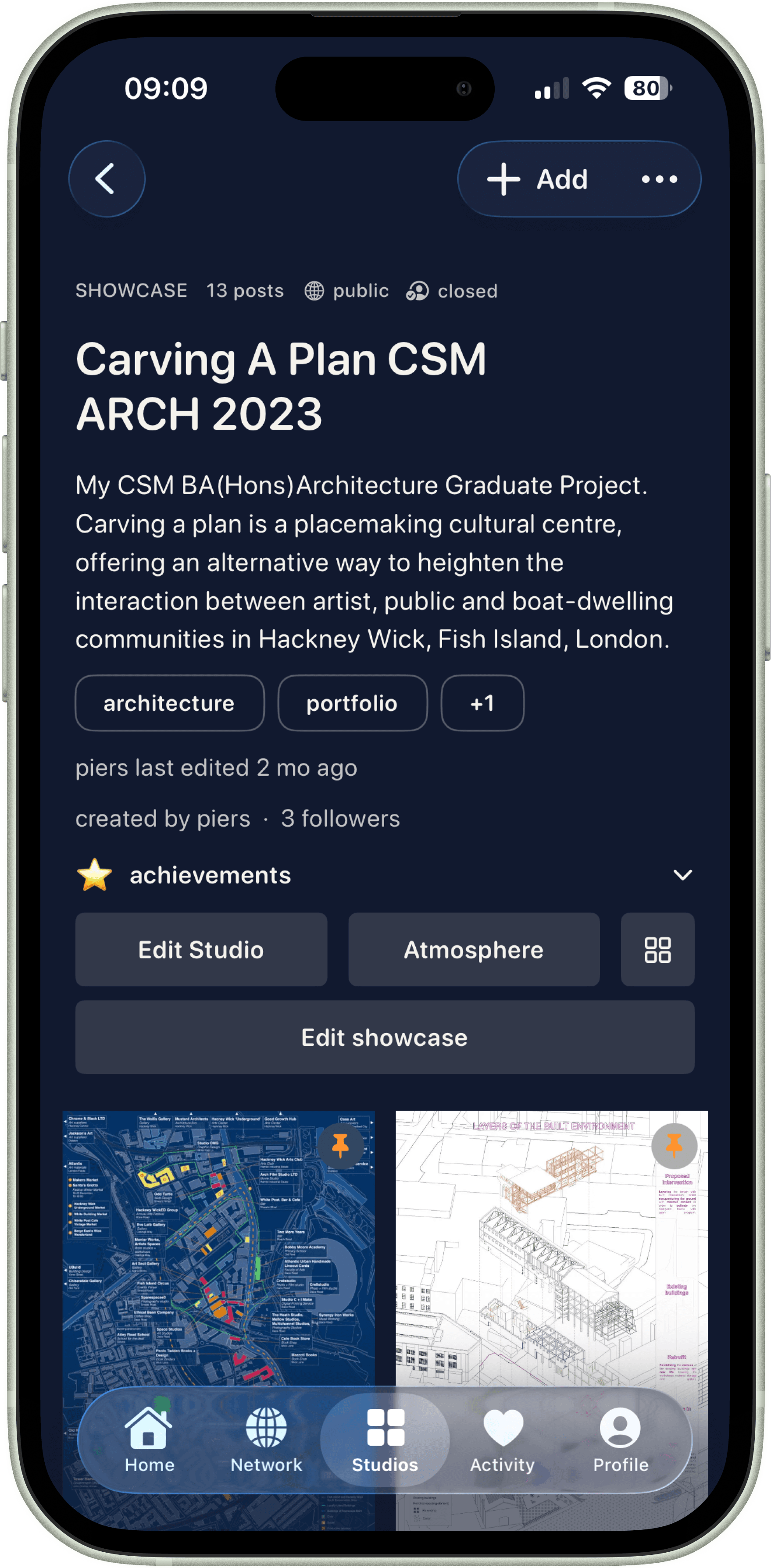
WIP
WIP
CRITIQUE
SHOWCASE
For working things through in public: sketches, drafts, loose references, progress notes. A place for practice, collaboration, and showing how something is becoming.
For when you’re ready to ask a room for honesty. Structured feedback, specific questions, real direction. Closer to a studio crit than a comment section.
For presenting finished outcomes without performing for an algorithm. A studio that reads like a portfolio: clear, intentional, and easy to share.
PRIVACY & ACCESS
Studios come with privacy and access built in, not as an afterthought. Decide who gets to see the studio, and separately, who’s allowed to move things around inside it. It’s the difference between sharing your work and handing over the keys.
OPEN STUDIOS — anyone you allow into the studio can contribute and add posts.
CLOSED STUDIOS — only the creator can add posts; others can view (if allowed) but can’t contribute.
PUBLIC STUDIOS — visible to anyone who can access the link / browse you (i.e. not hidden).
PRIVATE STUDIOS — visible only to you (and explicitly invited collaborators); effectively a hidden studio.
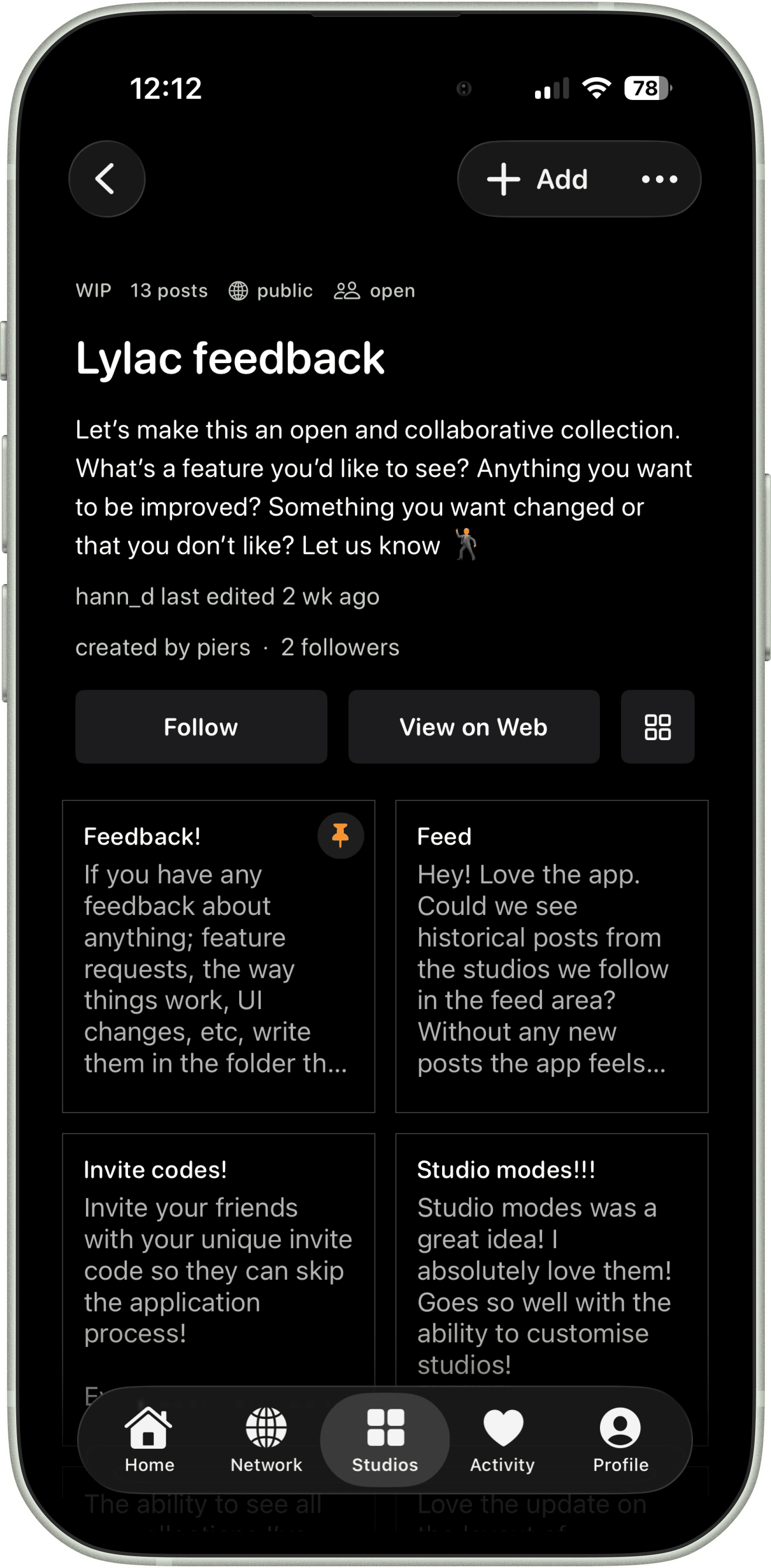
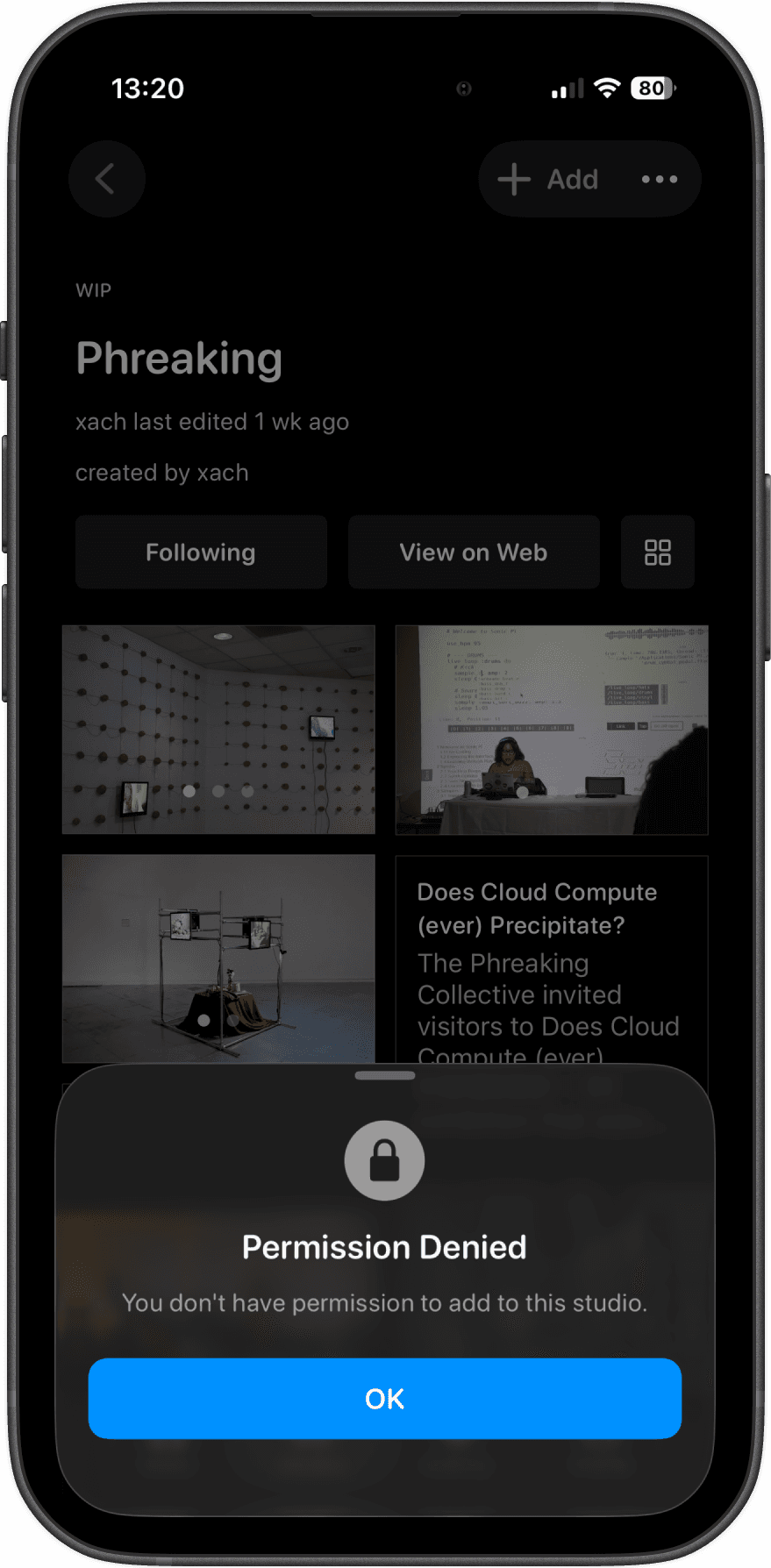
OPEN STUDIOS
Anyone you allow into the studio can contribute and add posts. Built for active exchange in shared spaces.
OPEN STUDIOS
Anyone you allow into the studio can contribute and add posts. Built for active exchange in shared spaces.
RESTRICTED ACCESS
Studios respect role permissions. If someone does not have the right access, contribution is blocked clearly.
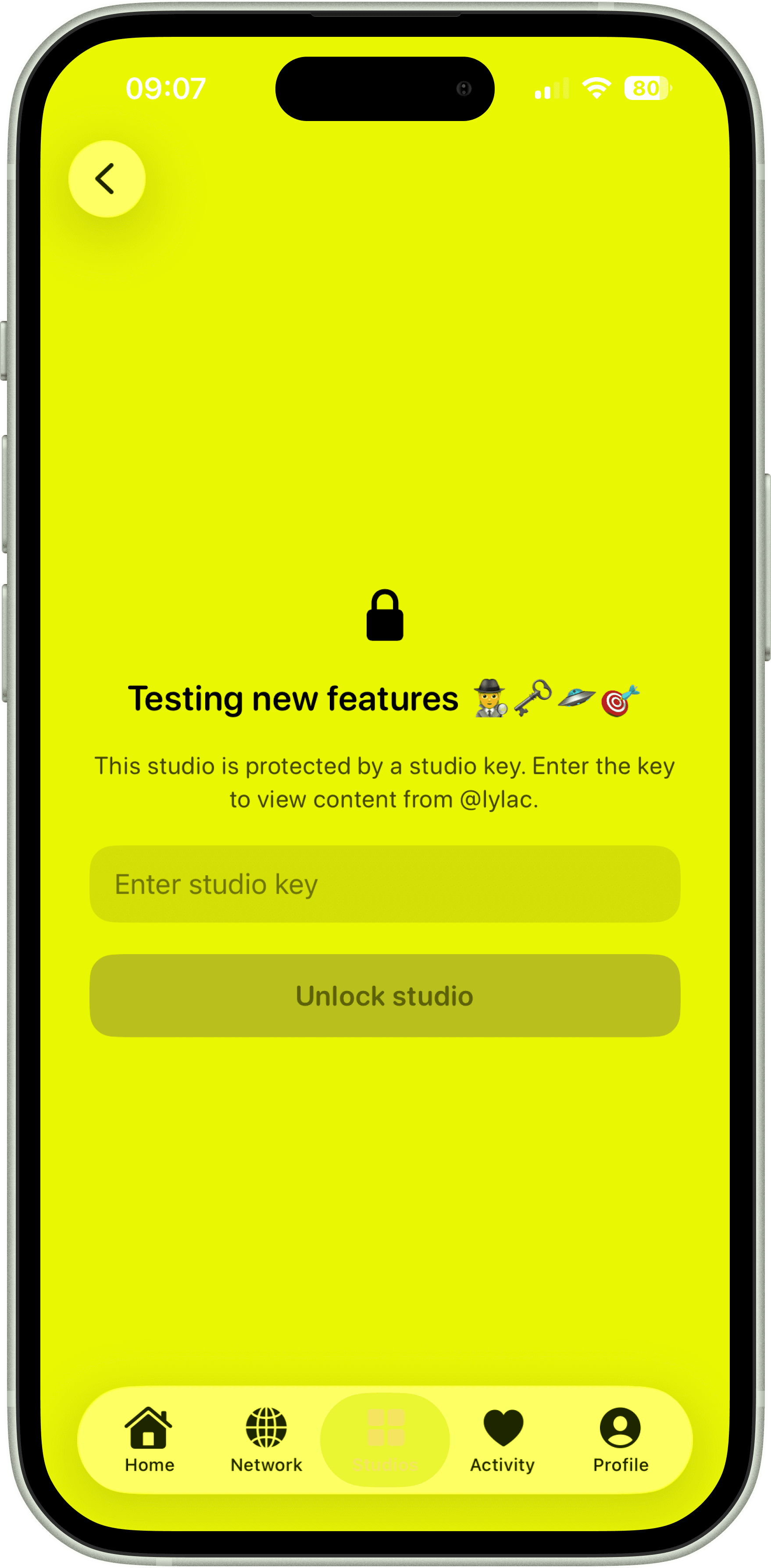
PASSWORD PROTECTION
Not every studio is meant to be fully open. When you are sharing early work, private research, client references, developing projects, sensitive portfolios, or anything still taking shape, you can protect the studio with a password and control who gets to enter.
When password protection is enabled in the app, the public web studio updates automatically too, so the same privacy and access rules carry across both spaces. Lylac studios are not only public showcases; they can also be controlled creative rooms that open only to the people you choose.
COLLABORATION
Sometimes you want a small room, not a stage. A few people you trust - friends, a collective, a design team - working together without turning the studio into something public. Collaboration is for building with others, while keeping control over who’s in the room and what they’re allowed to do.
VIEWER — can view the studio (and its posts), but can’t add or edit.
EDITOR — can contribute posts and help shape the studio.
ADMIN — can manage collaborators and higher level studio controls.
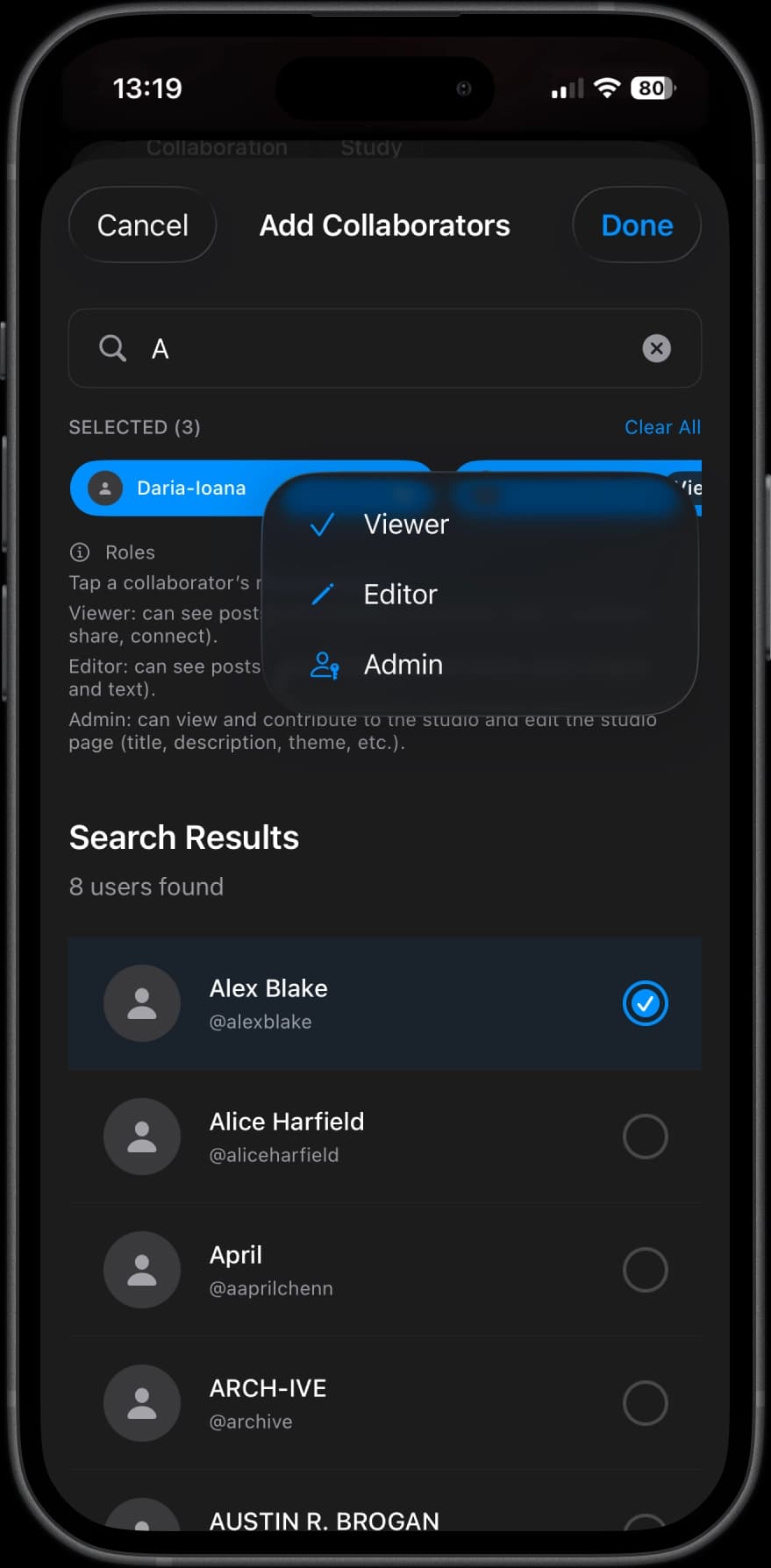
INVITE COLLABORATORS
Invite specific creators into a studio and assign roles: viewer, editor, admin. Built for collectives, communities, and design teams that need shared space.
STUDIO STYLING
Studios aren't one-size-fits-all. You can shape the look and feel of a studio to match the work inside it — from scrapbook-y WIP spaces, to clean portfolio grids, to more editorial, text-led formats.
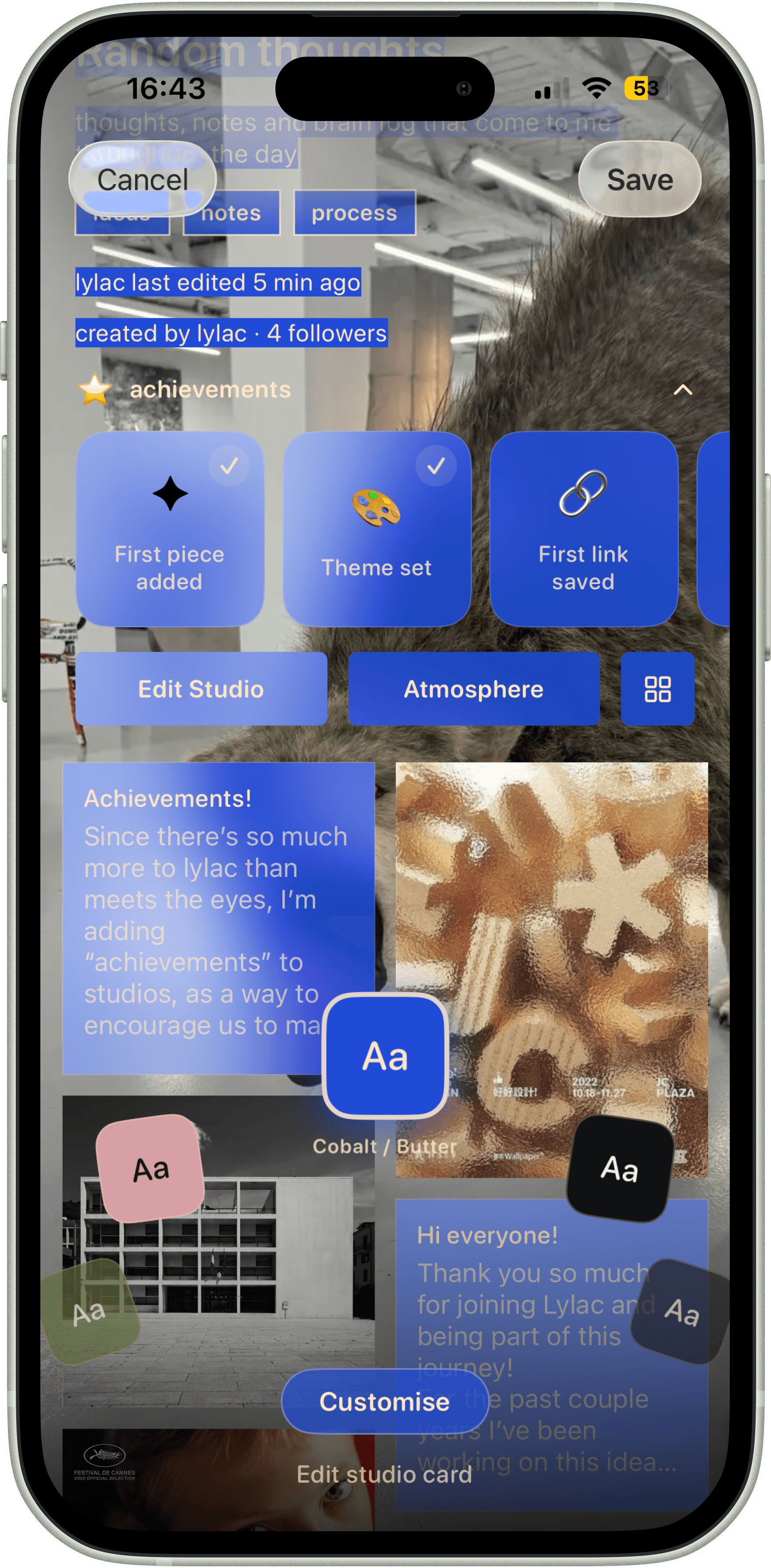
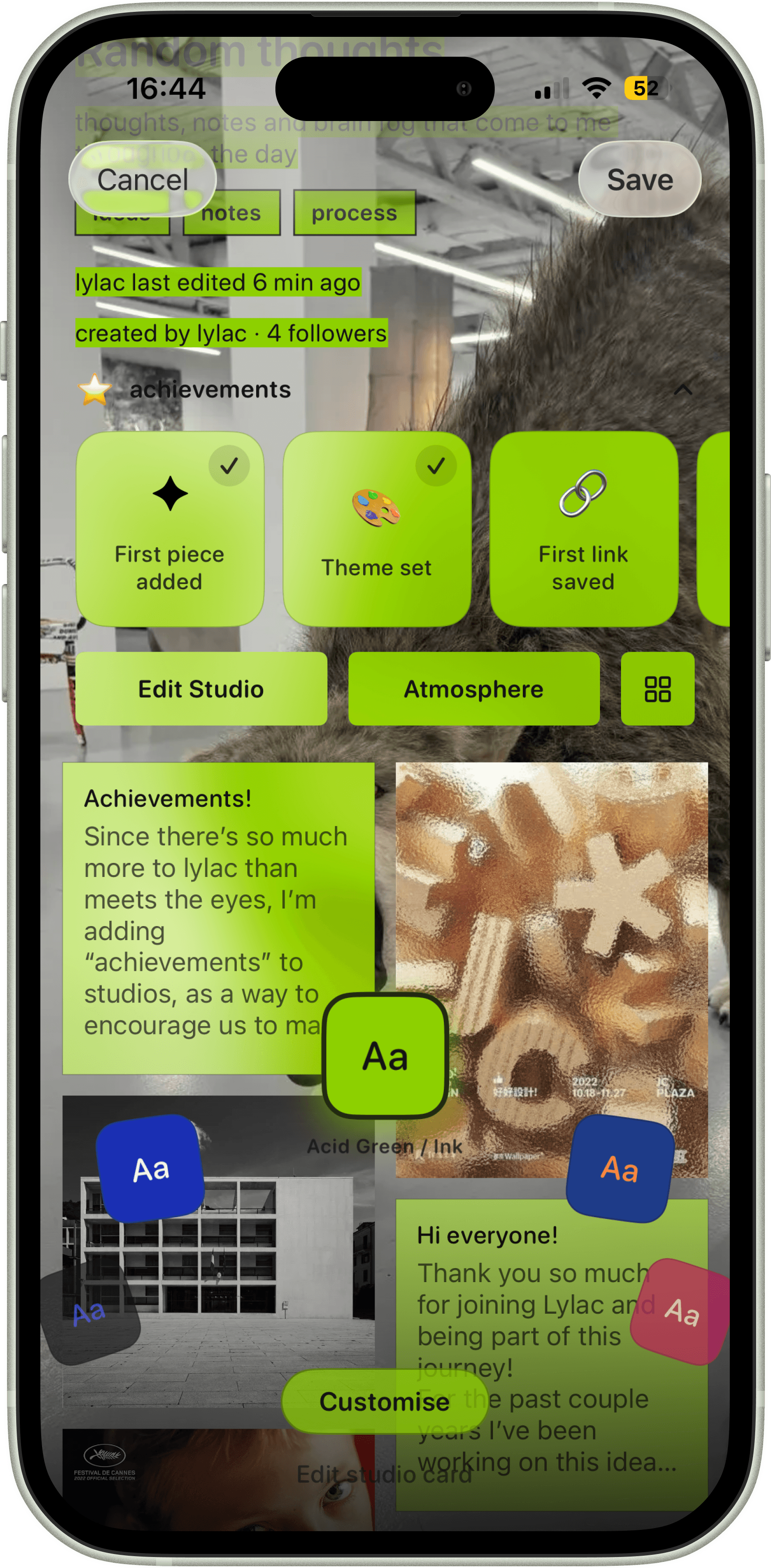
ATMOSPHERE
Studios can feel immersive and distinct, with a visual language that supports mood, intent, and process.
ATMOSPHERE
Studios can feel immersive and distinct, with a visual language that supports mood, intent, and process.
ATMOSPHERE 02
Different visual atmospheres let creators shape how people read and move through work-in-progress and final pieces.
CREATIVE CONTROL
Studios are designed to give creators real control over how their work is presented. You can highlight specific posts, rearrange the order of projects, and shape the flow of a studio so it reflects your process rather than an algorithm.
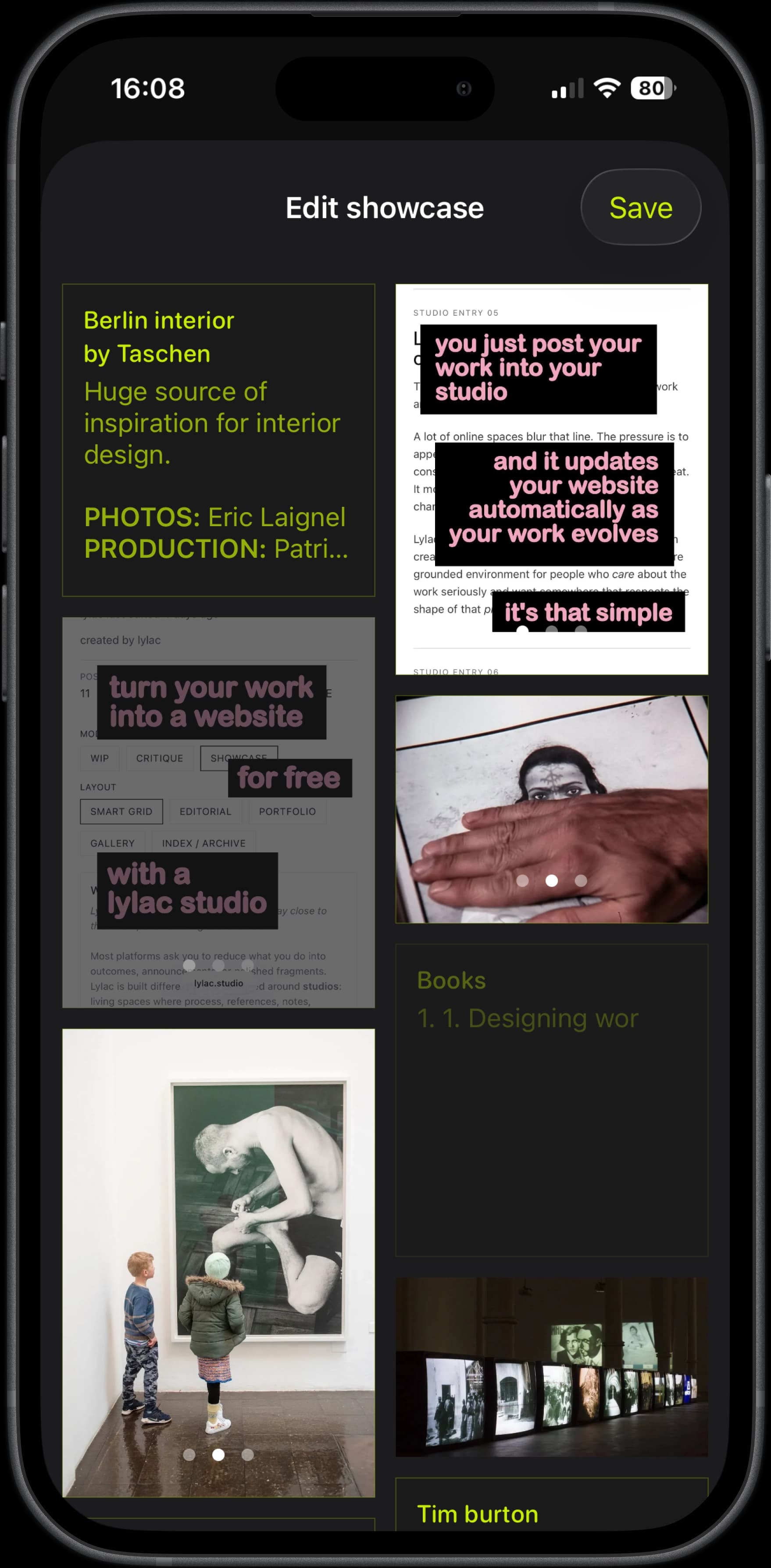
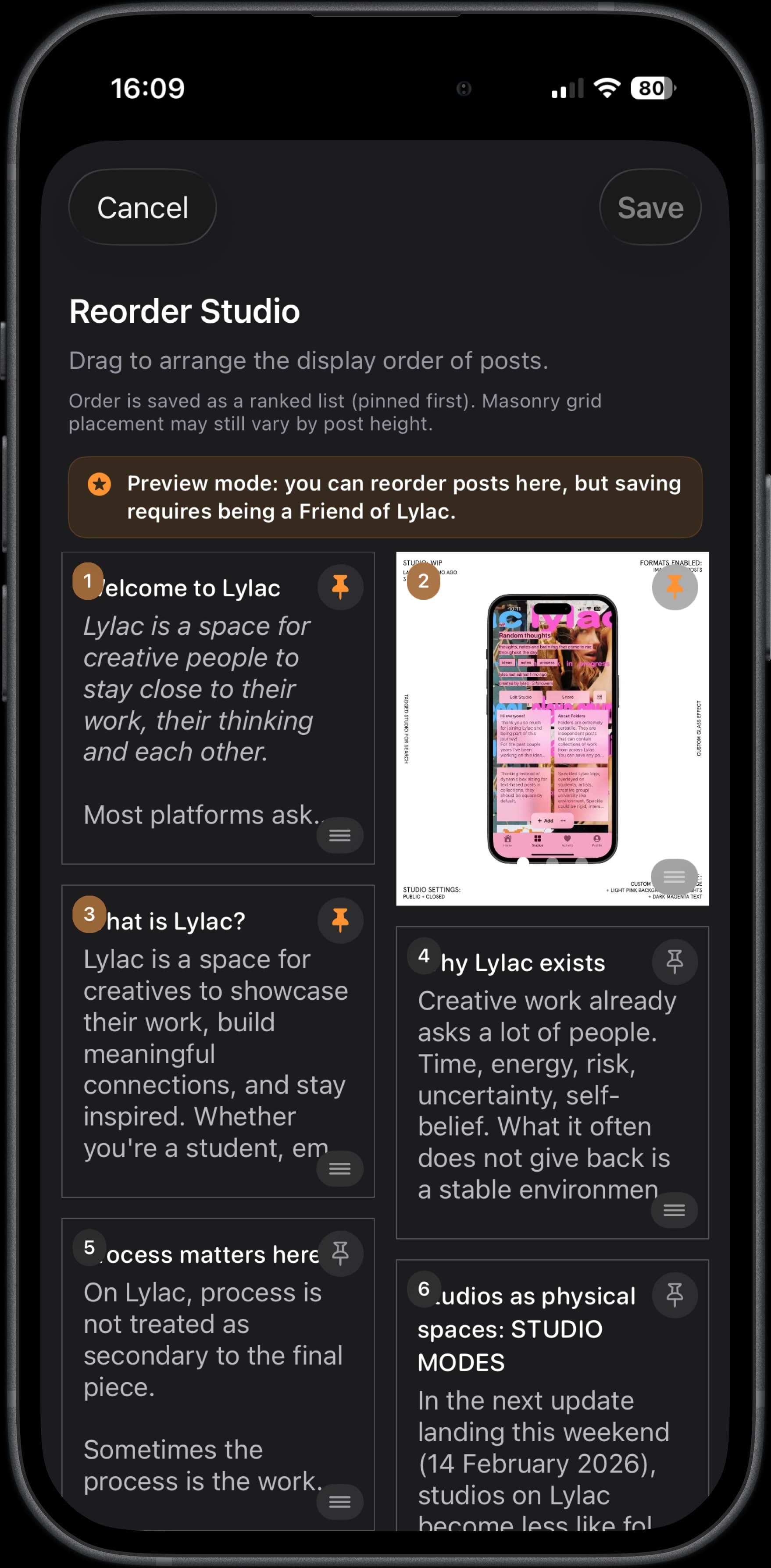
Full autonomy over your studio
Lylac includes tools built specifically for creative work — letting you highlight key posts and reorder your studio so the work appears exactly how you want it to.
Lylac includes tools built specifically for creative work — letting you highlight key posts and reorder your studio so the work appears exactly how you want it to.